Edit Instagram Stories: The Easy Way to Enhance Your Posts
Edit Instagram stories with new features that allow post-editing.
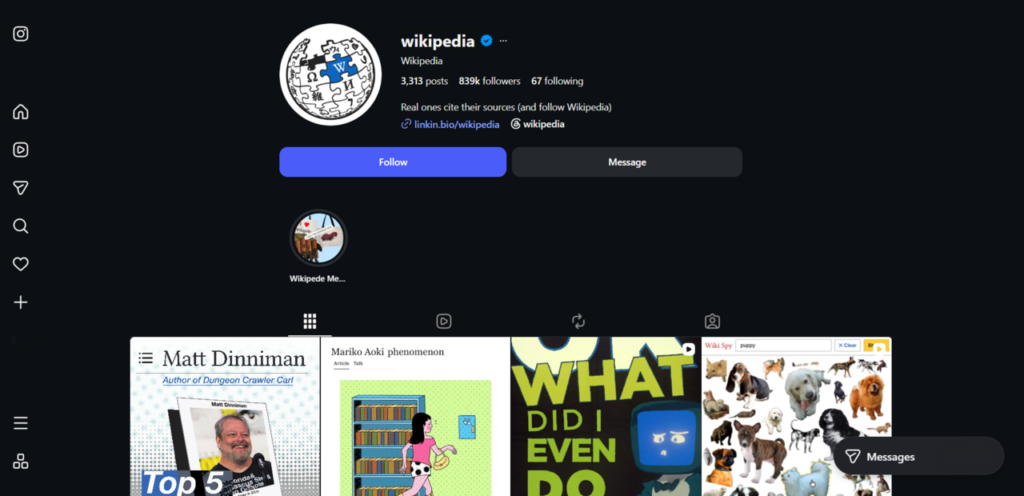
Edit Instagram stories now allows users to modify their posts after sharing them. This new feature enhances the way you engage with your audience and improves content quality.
How to Edit Instagram Stories
Editing Instagram stories has become easier than ever with the platform’s recent update. Users can now make changes to their stories even after they have been posted, allowing for greater flexibility and creativity.
To edit Instagram stories, follow these simple steps:
- Open the Instagram app: Launch the app on your mobile device and navigate to your profile.
- Access your stories: Tap on your profile picture at the top left corner to view your current stories.
- Select the story to edit: Choose the story you wish to modify from the list of your recent posts.
- Tap the three dots: In the bottom right corner of the screen, you will see three dots; tapping this will reveal the editing options.
- Edit your story: From here, you can adjust text, stickers, and other elements to enhance your posts.
- Save your changes: Once you are satisfied with your edits, simply save them, and your updated story will be visible to your followers.
This new feature allows users to create more engaging content and ensures that their stories reflect their style perfectly.
New Features in Instagram
Instagram has recently introduced exciting new features that allow users to enhance their posts with greater flexibility. One of the standout updates is the ability to edit Instagram stories after they have been published. This change empowers creators and casual users alike to make real-time adjustments to their content, ensuring that their stories are always polished and engaging.
Here are some key features that users can look forward to:
- Text and Sticker Adjustments: Users can now modify text overlays and reposition stickers even after the story goes live, making it easier to correct errors or improve aesthetics.
- Color and Filter Changes: The option to change colors and filters post-publication allows for seamless integration of new visual trends and styles.
- Link and Tag Edits: Users can add or alter links and tags, providing an opportunity for better audience engagement and interaction.
- Enhanced Privacy Settings: With the latest update, users can also adjust who sees their edited stories, allowing for a more tailored sharing experience.
These features not only simplify the process of editing Instagram stories but also encourage creativity and spontaneity in content creation.
Impact on User Engagement
Editing Instagram stories has become a crucial tool for users aiming to enhance their posts and boost engagement. The ability to make changes after publishing allows creators to refine their content, ensuring it resonates more with their audience.
When users edit Instagram stories, they can correct typos, adjust visuals, or update information that may have changed. This flexibility not only improves the quality of the content but also encourages more interactions from followers. Engaging stories often lead to increased shares and saves, amplifying the original post’s reach.
Moreover, the option to edit encourages a more dynamic form of storytelling. Users can respond to comments or feedback by adjusting their content accordingly, fostering a sense of community and dialogue. Many influencers have noted that their audience appreciates the polished final product, which often results in higher engagement rates.
In addition, the ability to edit allows users to experiment with different styles and formats. As they refine their approach, they can identify what resonates most with their followers, leading to more effective storytelling strategies in the long run.
- Improved quality of content
- Increased audience interaction
- Fostering community dialogue
Comparing Instagram to Other Platforms
When it comes to sharing moments through stories, Instagram stands out compared to other social media platforms. While many platforms have similar features, the ability to edit Instagram stories after posting is a game changer for users looking to enhance their content.
Other platforms like Snapchat allow users to create temporary posts, but they do not offer the same level of post-editing flexibility. Facebook Stories, on the other hand, have editing options, but they lack the creative tools that Instagram provides, such as stickers and filters.
Twitter’s Fleets, which were designed to compete with Instagram Stories, have since been discontinued, leaving many users seeking a more dynamic storytelling option. TikTok excels in video editing features but does not focus on the ephemeral story format, which makes Instagram uniquely advantageous for sharing quick updates.
Furthermore, Instagram’s integration of music, polls, and interactive elements within stories enhances user engagement. This focus on creativity allows users to fully express themselves and connect with their audience in ways that other platforms often struggle to match. As users continue to demand more from their social media experiences, Instagram’s editing capabilities keep it at the forefront of social storytelling.
Tips for Effective Story Editing
Editing your Instagram stories can significantly enhance their impact and engagement. Here are some tips for effective story editing:
- Use Engaging Visuals: Choose high-quality images and videos that capture attention. Bright colors and clear visuals can make your stories stand out.
- Incorporate Text Wisely: Add captions or text overlays to provide context. Use bold or italic fonts to emphasize key messages, but avoid cluttering the screen.
- Utilize Stickers and GIFs: Instagram offers a variety of stickers and GIFs that can add fun elements to your stories. Use them to convey emotions or highlight important information.
- Maintain Consistency: Establish a consistent style for your stories. This includes color schemes, fonts, and overall themes that align with your brand identity.
- Edit After Posting: With the new feature allowing users to edit Instagram stories post-publication, take advantage of this to correct mistakes or enhance your stories even after they’ve gone live.
By following these tips, you can effectively edit Instagram stories, making them more appealing and engaging for your audience.
To make your content stand out, it’s essential to know how to edit Instagram stories effectively. With the right tools and techniques, you can easily edit Instagram stories to capture your audience’s attention.
via Wikimedia Commons